AI Receipt Scanning That Gives YouTime Back.
Snap a receipt. AI extracts merchant, amount, date, and currency in seconds. 158 currencies, tax-ready reports, on iPhone and on the web.

Currencies Supported
AI Extraction Models
Scan to Export Time
Stop
typing
data.
Extraction
Protocol


AI-Powered Extraction
Snap a photo of any receipt, invoice, or bill. Our AI reads it in seconds — merchant, date, amount, currency, and category. Powered by leading AI models for accurate extraction in any language, any format.
AI extraction in seconds Multi-language recognition Works with most receipt formats
Smart Categories & Currency
Travel expenses often happen in foreign currencies. We automatically convert them to your home currency at the transaction date's exchange rate and the AI learns your category preferences over time.
158 currencies with automatic conversion AI learns your category preferences Historical exchange rate conversion
Reports & Export
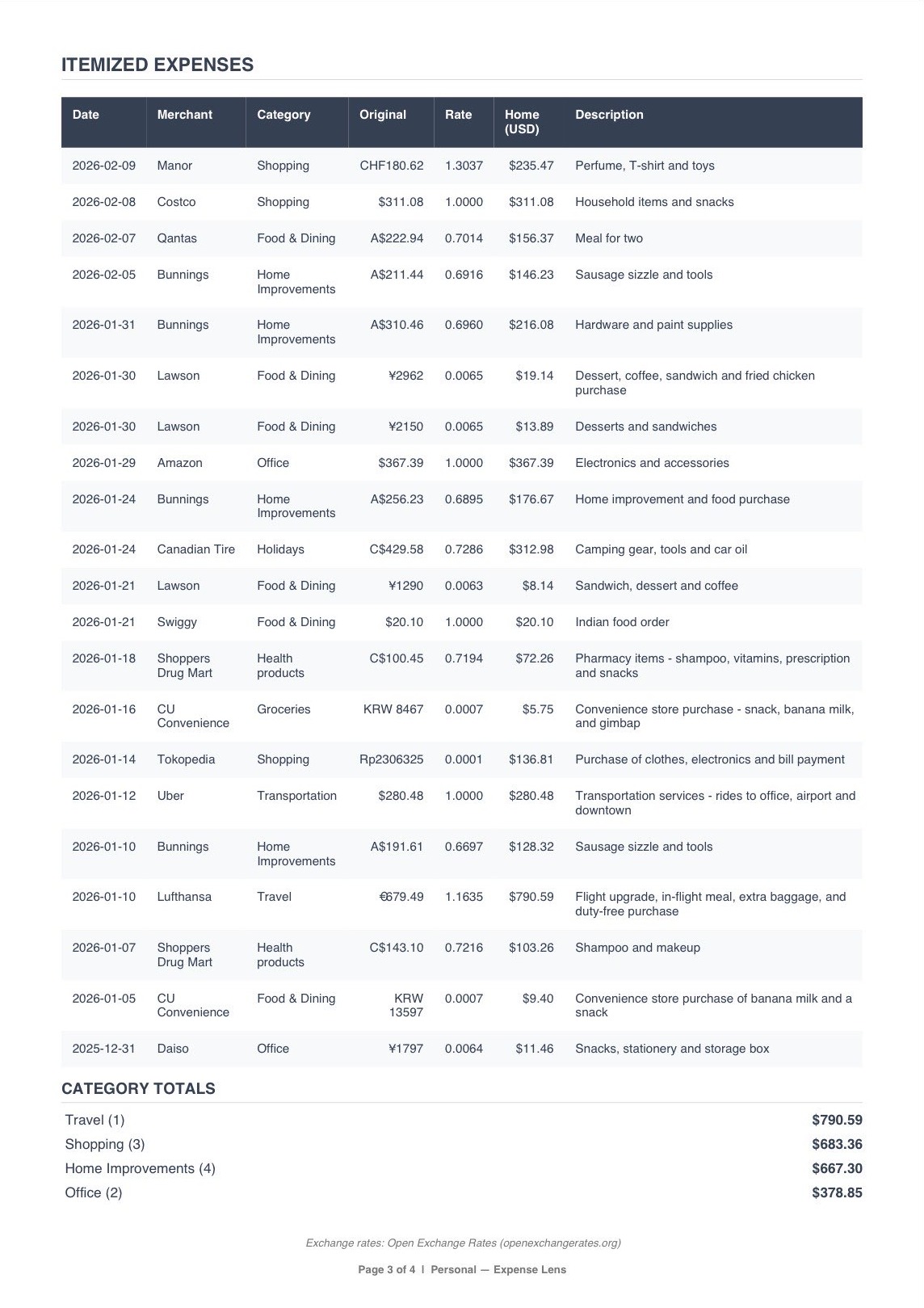
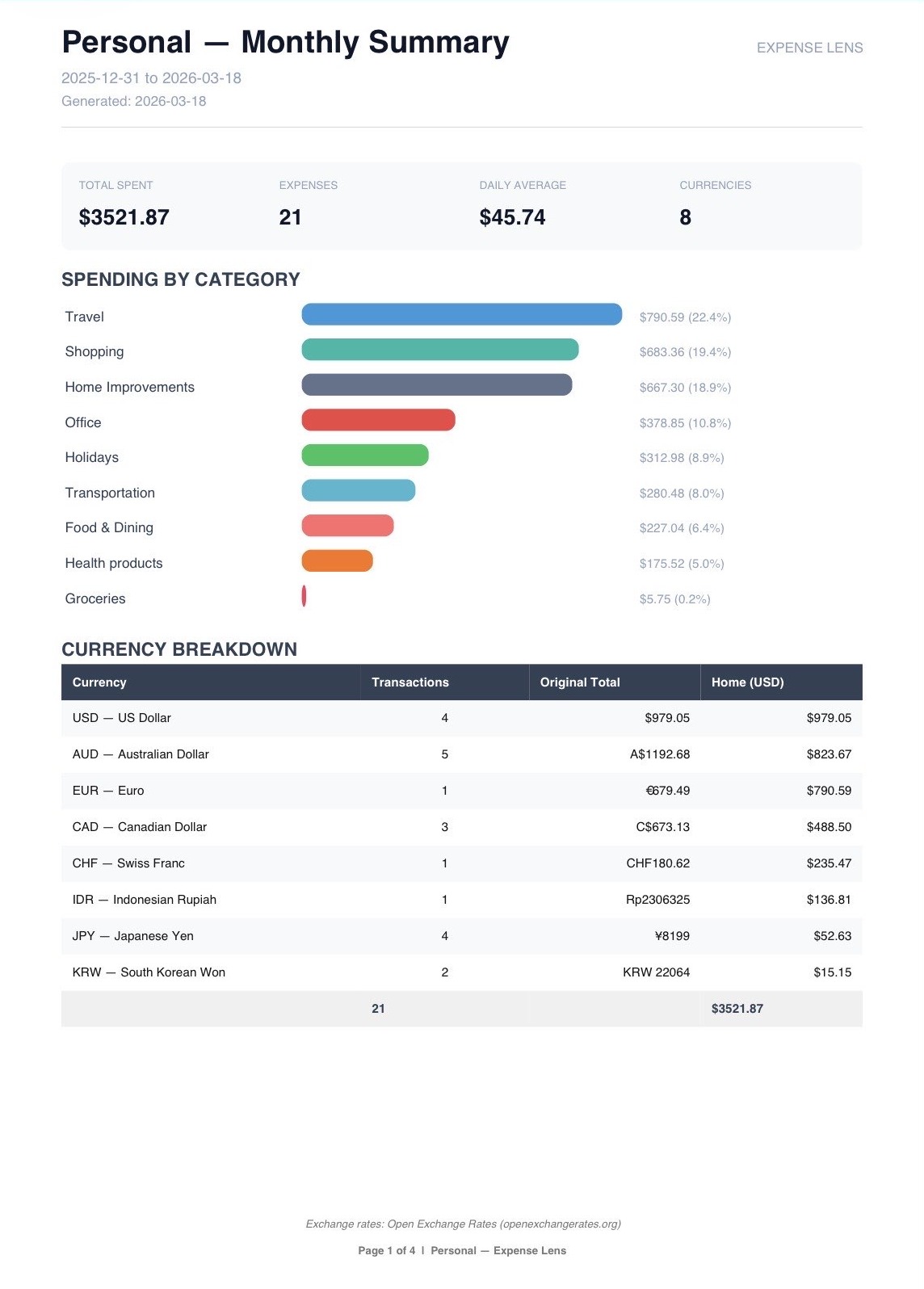
Generate professional expense reports in one click — whether it's for your accountant, a client reimbursement, or your own records. Export as PDF or CSV, with original receipt images included.
Tax Report — multi-currency breakdown with exchange rates, accountant-ready Monthly Summary — by category, project, or date range Travel & Reimbursement — client-ready with itemised receipts & receipt images PDF & CSV export (QuickBooks & Xero compatible)

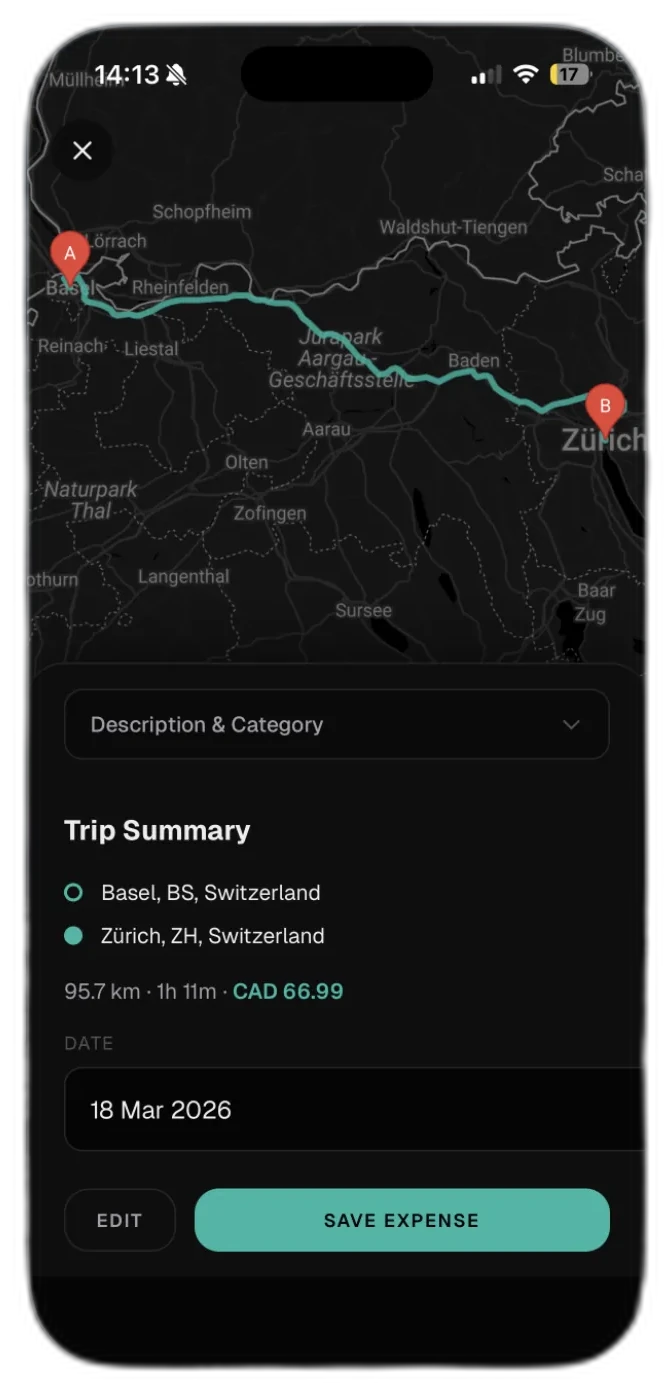
Mileage Tracker
Track business mileage automatically with GPS, or enter trips manually with Google Maps autocomplete. Set per-km reimbursement rates with tiered pricing — perfect for freelancers and self-employed professionals.
GPS auto-tracking with live distance Manual address entry with autocomplete Tiered reimbursement rates (km or miles)
Lens — AI Spending Assistant
Ask Lens anything about your expenses in plain language. "How much did I spend on travel last quarter?" "What's my biggest category this month?" Lens knows your data and answers instantly — no dashboards to click through.
Natural language spending queries Multi-currency aware answers Responds in your language (EN & DE)
Global Capabilities
Built for the modern traveler, freelancer, and global business.
Multi-Language AI
Receipts in French? German? Japanese? Azerbaijani? Our AI reads receipts in dozens of languages and extracts everything in English — no manual translation needed.
Email-In Receipts
Every account gets a unique email address. Forward any receipt or invoice and it's automatically scanned, extracted, and categorized. No app needed.
Smart Categories
The AI learns your habits. It remembers your patterns and gets better at categorizing the more you use it.
PDF & CSV Export
Generate expense reports as clean PDFs or detailed CSVs. Compatible with QuickBooks and Xero via standard headers. Download and share with your accountant.
Mileage Tracker
Track business trips by GPS or manual address entry. Set tiered reimbursement rates in km or miles. All trips logged alongside your expenses for clean tax reporting.
Lens AI Assistant
Ask questions about your spending in plain language. Lens knows your data — category breakdowns, monthly comparisons, budget status — and answers without the dashboard clicks.
Analytics & Insights
Spending trends, monthly comparisons, category breakdowns, top merchants, and budget vs actual — all in one visual dashboard. See exactly where your money goes.
Projects
Separate expenses by client, project, or trip. Each project gets its own currency, budget, and report. Perfect for freelancers juggling multiple clients.
Simple, Transparent Pricing
Start free. Upgrade when you need more. Custom plans for businesses.
Free Trial
5 scans to try it out
5 AI receipt scans AI-powered extraction Basic expense tracking 1 project
Starter
For individuals getting started
30 receipt scans/month AI-powered extraction 158 currencies 1 project CSV export
Value
For freelancers and expats
75 receipt scans/month Everything in Starter 3 projects Reports & analytics Email receipt forwarding Priority support
Pro
For power users and small teams
200 receipt scans/month Everything in Value Unlimited projects Smart category learning Recurring expense detection Weekly spending digest
Custom pricing for teams and small businesses. Everything in Pro, plus:
Built by Someone Who Gets It
"I was living abroad, juggling receipts in three currencies, and my expense app hadn't been updated in two years. The OCR was wrong half the time, scans got stuck in queues for days, and the mobile app crashed constantly. So I built Expense Lens — the tool I couldn't find anywhere else."
Common Queries
Expense Lens uses a multi-model AI system including Google Gemini for extraction. Accuracy depends on receipt quality — clear photos give the best results. The AI handles most formats, languages, and receipt conditions. It also learns your patterns over time, so categories get smarter the more you use it.
158 currencies. The AI automatically detects the currency on the receipt and converts it to your home currency using the exchange rate from the date of the purchase, via Open Exchange Rates.
Yes. Expense Lens generates PDF reports (including a tax-ready report with multi-currency breakdowns) and CSV exports with headers compatible with QuickBooks and Xero. Download and import — no API connection needed.
No. Expense Lens works by scanning receipts — not by accessing your bank data. Your financial accounts stay completely private.
Get In Touch
Questions? We'd love to hear from you.